


In today’s hyper-connected world, cybersecurity is not just a buzzword but a necessity. Cyber threats are evolving rapidly, targeting individuals, businesses, and even governments. To stay secure, it’s essential to adopt a proactive approach by following a comprehensive cybersecurity checklist. This guide covers the critical steps you can take to safeguard your digital presence.

1. Understanding Cyber Threats
Before diving into the checklist, it’s vital to understand the various types of cyber threats:
- Phishing Attacks: Deceptive emails or messages designed to steal sensitive information.
- Malware: Malicious software, including viruses, worms, and ransomware, that disrupts or damages systems.
- Data Breaches: Unauthorized access to sensitive data.
- Social Engineering: Manipulative tactics to trick individuals into revealing confidential information.
- Distributed Denial of Service (DDoS): Overloading servers to disrupt services.
2. Secure Your Devices
a. Update Software Regularly
- Enable automatic updates for your operating system, browsers, and applications.
- Install patches promptly to fix known vulnerabilities.
b. Install Antivirus Software
- Use reputable antivirus programs and keep them updated.
- Regularly scan your devices for malware.
c. Encrypt Your Devices
- Use built-in encryption tools like BitLocker (Windows) or FileVault (Mac).
- Ensure mobile devices are encrypted.
3. Strengthen Your Passwords
a. Create Strong Passwords
- Use at least 12 characters, mixing uppercase, lowercase, numbers, and symbols.
- Avoid using personal information like names or birthdates.
b. Use a Password Manager
- Tools like LastPass, Dashlane, or 1Password can generate and store complex passwords securely.
c. Enable Two-Factor Authentication (2FA)
- Add an extra layer of security with 2FA on all accounts.
- Opt for app-based 2FA (e.g., Google Authenticator) over SMS-based methods.
4. Protect Your Online Accounts
a. Regularly Monitor Account Activity
- Check login histories and notifications for suspicious activity.
- Log out of accounts when not in use.
b. Limit Permissions
- Only grant necessary permissions to apps and services.
- Revoke access for apps you no longer use.
c. Backup Your Data
- Use cloud services and external drives to back up important files.
- Ensure backups are encrypted.
5. Secure Your Internet Connection
a. Use a Virtual Private Network (VPN)
- Encrypt your internet traffic, especially on public Wi-Fi networks.
- Choose a reliable VPN provider with a no-logs policy.
b. Secure Your Router
- Change the default admin credentials.
- Enable WPA3 encryption.
- Disable remote access and Universal Plug and Play (UPnP) if not needed.
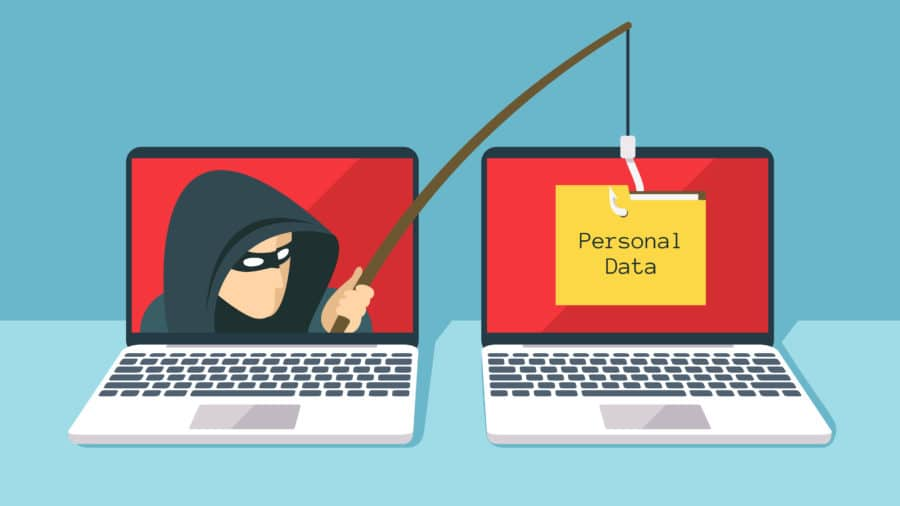
6. Stay Vigilant Against Phishing
a. Recognize Phishing Attempts
- Be cautious of unsolicited emails or messages with links or attachments.
- Verify the sender’s identity before clicking on links.
b. Use Anti-Phishing Tools
- Enable phishing protection in your browser.
- Use email services with built-in spam filters.
c. Educate Yourself
- Stay updated on the latest phishing tactics.
- Train employees and family members to recognize scams.
7. Maintain Privacy on Social Media
a. Limit Sharing
- Avoid posting sensitive information like your location, vacation plans, or personal identifiers.
b. Adjust Privacy Settings
- Use privacy settings to control who can see your posts and profile information.
c. Be Cautious of Friend Requests
- Avoid accepting requests from unknown individuals.
8. Adopt Safe Browsing Practices
a. Use Secure Websites
- Look for “https” in the URL and a padlock symbol.
b. Avoid Public Wi-Fi for Sensitive Activities
- Use a personal hotspot or VPN when accessing sensitive accounts on public networks.
c. Block Pop-Ups
- Enable pop-up blockers in your browser to avoid malicious ads.
9. Develop a Response Plan
a. Identify Potential Threats
- Regularly assess risks to your personal and professional data.
b. Have a Recovery Strategy
- Know how to recover from data loss or a breach.
- Maintain updated backups and recovery keys.
c. Report Incidents
- Familiarize yourself with reporting procedures for cybercrimes in your region.
- Inform affected parties promptly.
10. Educate and Train
a. Personal Awareness
- Stay informed about emerging cyber threats and trends.
b. Family and Team Training
- Conduct regular training sessions for family members and employees.
- Simulate phishing attacks to improve recognition skills.
11. Secure Smart Devices
a. Change Default Settings
- Modify default usernames and passwords for smart devices.
- Disable unnecessary features like voice recording or remote access.
b. Update Firmware
- Regularly check for and install firmware updates.
c. Use IoT-Specific Security Tools
- Invest in firewalls and intrusion detection systems for IoT devices.
12. Comply with Cybersecurity Standards
a. Follow Industry Regulations
- Understand the cybersecurity laws applicable to your industry or region.
b. Conduct Regular Audits
- Periodically review your cybersecurity measures to ensure compliance and effectiveness.
13. Monitor Emerging Technologies
a. AI and Machine Learning
- Leverage AI-driven tools for threat detection and prevention.
b. Blockchain Security
- Explore blockchain’s potential for secure transactions and data integrity.
c. Quantum Computing
- Stay informed about quantum advancements and their implications for encryption.
By following this checklist, you can significantly reduce your vulnerability to cyber threats. Cybersecurity is a continuous process, requiring vigilance, education, and regular updates. As cybercriminals innovate, so must we in our defenses.


